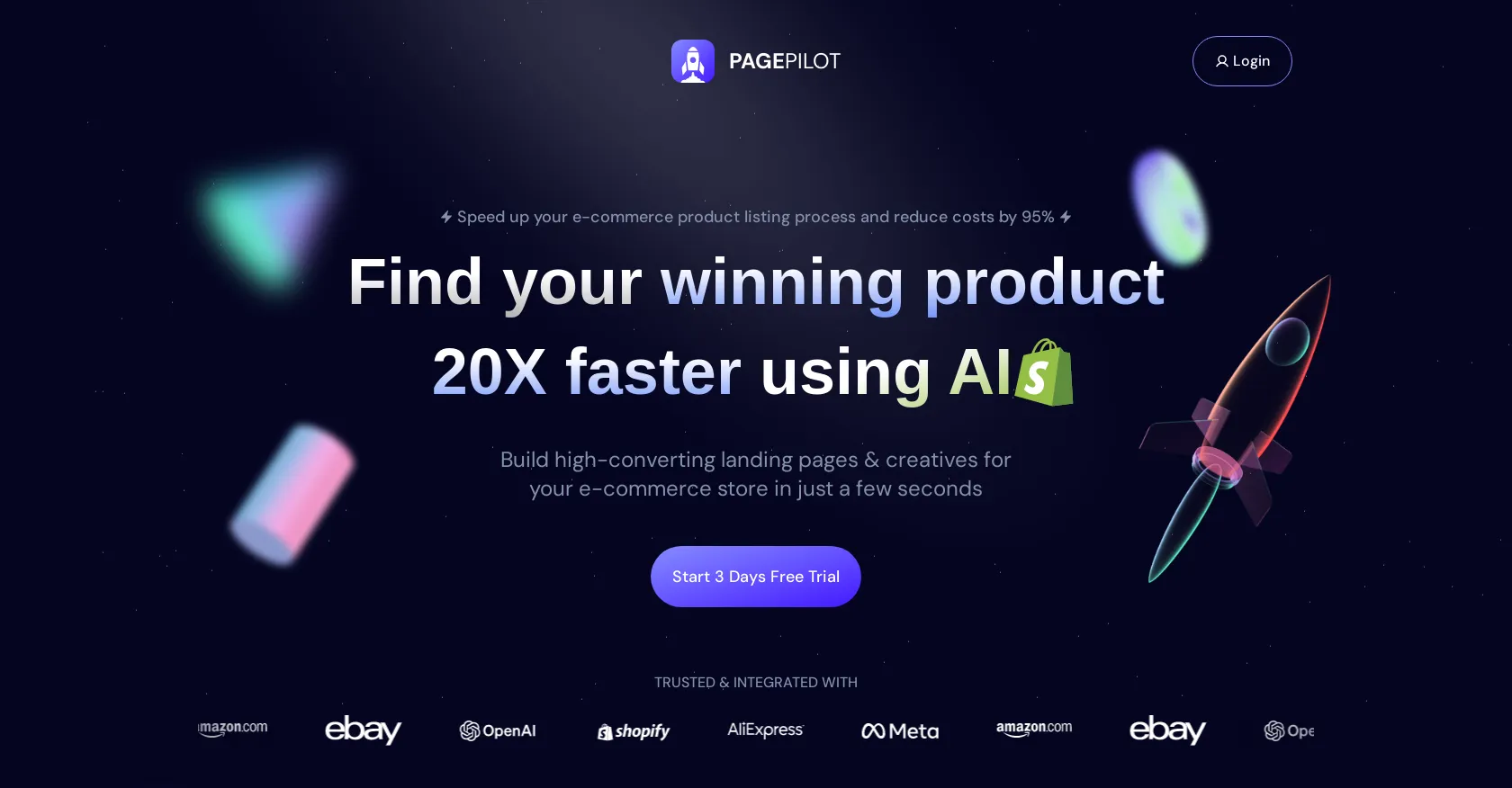
Our take: PagePilot AI (also written Page Pilot AI) is one of the fastest ways to get a professional Shopify product page live. Paste a supplier link and you get the copy, the images and a finished layout in minutes, which is why it has become a favorite tool among dropshippers who test new products every week. It is less suited to brands that want full design control or sell outside Shopify.
The app has been on the Shopify App Store since May 2024 and holds a 4.8/5 rating from about 200 merchant reviews, with PagePilot reporting more than 1 million AI product pages created. This review covers what PagePilot does, how it works, who it is for, how it compares with page builders such as GemPages and PageFly, and where it falls short.
What is PagePilot AI?
PagePilot is an AI landing page builder built only for Shopify. Instead of starting from a blank template, you paste a supplier or competitor product URL. The app reads the product, then drafts a complete page: headline, benefit-led description, feature blocks, FAQ, image set and a cart drawer with upsells. You review the draft, adjust the sections and publish it to any Shopify theme without touching code.
That makes it different from general page builders such as Shogun, GemPages or PageFly. Those give you more design freedom, but you still write the copy and produce the images yourself. PagePilot trades some of that freedom for speed: the first draft is done for you.
Key features
- Product page from a link: import from AliExpress, Amazon, Etsy, Temu, TikTok Shop or Shopify and get a full page in roughly 10 seconds of generation time.
- AI images and photoshoots: create lifestyle shots and ad creatives from plain supplier photos, so every product does not look like the same AliExpress listing.
- Page and template builder: 8+ templates and 35+ sections and blocks, with drag-and-drop editing and AI rewriting of any text block.
- Customizable cart drawer: add upsells and bundles to raise average order value.
- 30+ languages: generate pages directly in German, French, Spanish, Polish, Portuguese and many other markets.
- Brand matching and angle suggestions: keep tone and colors consistent with your store, and test different marketing angles for the same product.
- On-page SEO: titles, descriptions and headings are generated with search in mind.
- Works with any Shopify theme and integrates with apps such as DSers, Zendrop, Judge.me Reviews, Vitals, Katching Bundles and Releasit.
How PagePilot works
- Install PagePilot from the Shopify App Store and connect your store.
- Paste the product URL you want to sell, pick a language and a template.
- Let the AI draft the page, then regenerate or rewrite any section you do not like.
- Generate extra product images or ad creatives if the supplier photos are weak.
- Publish the page to Shopify and connect it to your ads.
You can build pages during the free plan, but publishing to your store requires a paid plan. That is the main thing to know before you start: the free tier is a demo, not a way to run a store. For a full walkthrough with tips, read how to use PagePilot AI.
Who should use PagePilot?
PagePilot is a strong fit if you:
- run a dropshipping or general store and test several new products each week;
- sell in non-English markets and need native-language pages quickly;
- manage multiple Shopify stores (Starter and Scaler cover 3 and 5 stores);
- want better-looking product pages than your theme's default template without hiring a designer.
It is a weaker fit for established brands with a strict design system, stores outside Shopify, or merchants who launch one or two products a year. In those cases a classic page builder or a one-off designer is usually better value.
PagePilot vs alternatives
The closest competitors fall into two groups. Shopify page builders (GemPages, PageFly, Shogun, Replo) offer more layout control and A/B testing but leave copy and images to you. AI copy and image tools (general AI writers, AI product photo apps) cover one part of the job but do not build or publish the page. PagePilot sits between them: less flexible than a pure builder, but it removes most of the work of turning a supplier link into a sellable page. Browse the alternatives at the bottom of this page to compare similar eCommerce AI tools.
Our verdict
Wondering whether it is a scam? We looked at the company, the reviews and the usage data in Is PagePilot AI legit? For what the free plan really covers and which paid plan to pick, read PagePilot AI pricing explained.
PagePilot AI does one job and does it fast: it gets a decent, on-brand Shopify product page live in minutes instead of hours. The Shopify rating and review volume suggest merchants get real value from it, especially for product testing and multi-language stores. The trade-offs are the per-page limit on the Lite plan, the need to pay before you can publish, and AI copy that still needs a human edit for claims and accuracy. If you launch new products often, start on the free plan, build two or three pages, and upgrade only when the drafts are close to what you would publish.
FAQ
Is PagePilot AI free?
There is a free plan with limited AI pages and images, and no credit card is required. You need a paid plan to publish pages to your Shopify store.
Does PagePilot work with my Shopify theme?
Yes. PagePilot pages work on any Shopify theme without rebuilding the store.
Which sites can I import products from?
AliExpress, Amazon, Etsy, Temu, TikTok Shop and other Shopify stores.
Can I cancel at any time?
Yes. You can cancel from the billing section of the dashboard and keep access until the current billing period ends.